RCS is now available well beyond Android. With iOS 18 and a compatible carrier, RCS messages appear in both Apple's Messages app and Google Messages, and as of iOS 26.5, end-to-end encrypted RCS conversations between iPhone and Android are rolling out in beta where supported.
That reach matters because getting approved to send involves far more than technical deployment. RCS for Business now treats brand verification, launch approval, agent use case, and ongoing reputation as separate lifecycle stages — each with its own requirements.
Unlike SMS, where A2P 10DLC assigns a throughput tier after campaign registration, RCS approval runs through Google's RCS Business Messaging platform, and the requirements depend heavily on choices you make during agent creation.
What an Agent Actually Is
In RCS Business Messaging, an agent is a programmatic entity that represents a brand and sends messages to users. It's more than an API credential: the agent includes the branding users see in their messaging app (name, logo, description, contact information) and the configuration that defines its messaging capabilities.
Three configuration choices are made at agent creation and cannot be changed later: hosting region (North America, Europe, or Asia Pacific — chosen for compliance and latency), billing category, and use case. Businesses with multiple departments, such as customer care and billing, typically create a separate agent for each. Providers like Blooio make these decisions during onboarding, because an incorrect choice means creating a brand-new agent rather than editing the existing one.
The Four Agent Types You Need to Understand
Before launching, you must define the agent's use case. RCS for Business supports four primary use cases, and this selection determines which message types are permitted and which business rules apply:
- OTP — one-time passwords for authentication, account access, password resets, or transaction confirmation. If RCS is primarily used for authentication, a narrowly scoped agent simplifies expansion and operation.
- Transactional — messages tied to an existing customer relationship: purchase confirmations, shipping notifications, account alerts, and service updates. The key distinction is intent — these inform customers about events that have occurred or that need their attention.
- Promotional — marketing messages: offers, sales, campaigns, and product announcements. Be especially diligent with consent, relevance, frequency, and opt-out handling; complaints and spam reports directly damage the agent's reputation.
- Multi-use — combines transactional and promotional messaging within the same conversation. It supports broader engagement strategies but requires explicit traffic classification rather than a single blanket type.
After you submit a launch request, the use case cannot be changed. For multi-use agents, if only one use case is live at launch, proof of the second must be provided within six months. A one-time three-month extension is available if requested before the deadline — and if both windows are missed, the agent converts to single-use based on the initial launch.
Brand Verification: One Step, Different Depending on the Path
Before requesting its first launch, an agent must complete brand verification. This confirms that an authorized brand representative has approved the agent's information and the sender's right to manage it. Brand verification is required once per agent and must use an individual brand contact's email address, because the authorization request is sent directly and must be answered personally.
What happens next depends on the carriers where the agent will launch.
The Real Verification Tiers: Google-Managed vs Carrier-Managed
This distinction drives your approval timeline, and it's determined per carrier, not per agent.
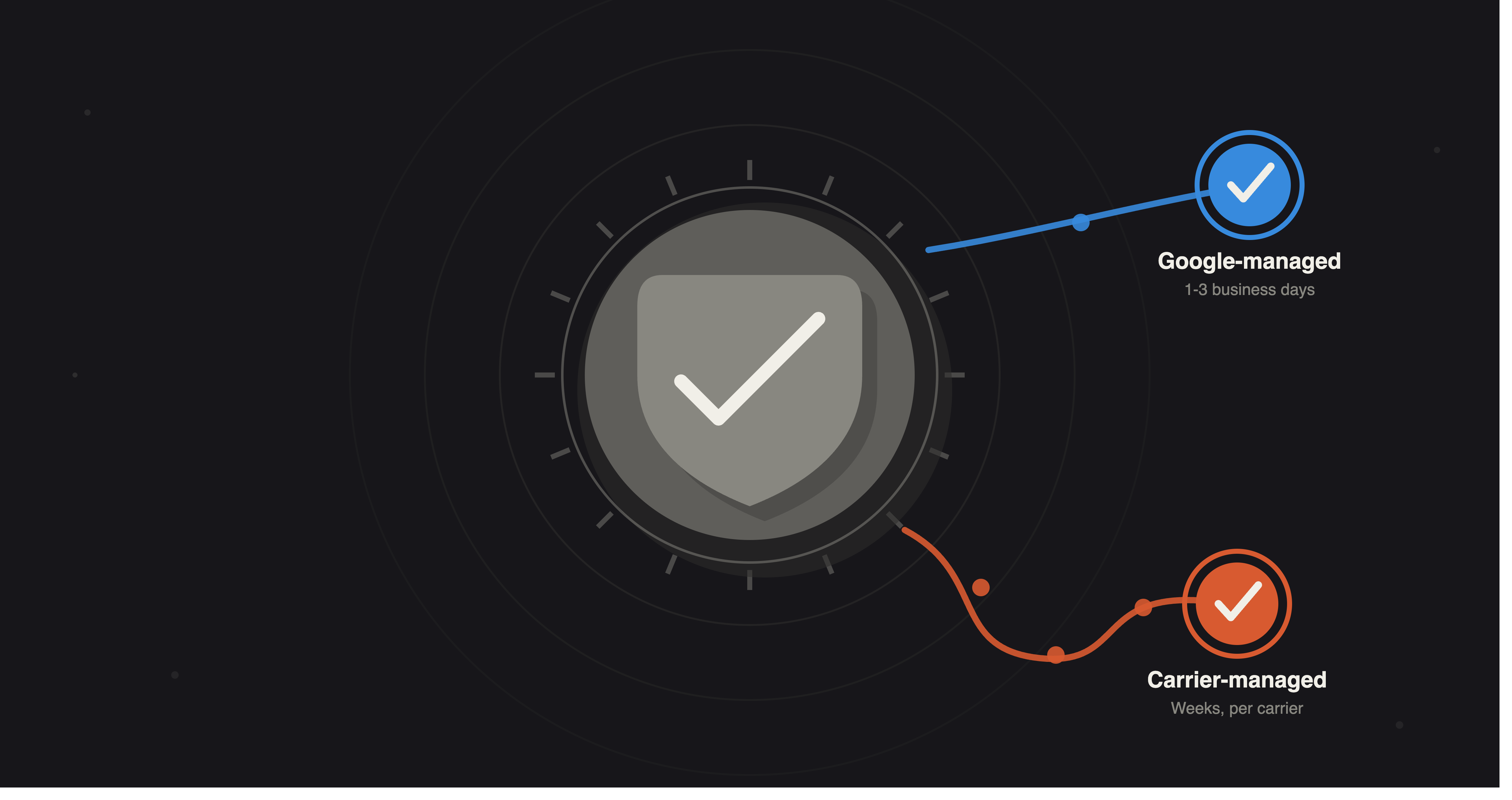
Google-managed carriers handle verification and asset review directly through Google. Once the brand contact responds to the authorization email and the required assets are provided, launches typically clear within one to three business days. Verification is required only once; the agent stays verified for all future Google-managed launches.
Carrier-managed carriers, indicated by an info icon in Google's console, run their own review process. They require a direct commercial agreement before approving a launch — and if there's no existing contact, the carrier rejects the request rather than queuing it.
Each carrier-managed network may request separate verification, even for agents already verified through Google-managed carriers. This process often takes longer, with timelines set by the individual carrier rather than Google.
When planning a launch timeline, verify approval requirements for each carrier individually — one approval does not cover all networks. Teams new to RCS often find that per-carrier launch status tracking, like the tracking Blooio provides, saves significant time compared to relying on the sending API alone.
What Reviewers Actually Check
Before you submit a launch request, the agent must have a publicly accessible website, live links to a privacy policy and terms of service, and a screen recording demonstrating the declared use case and the opt-out (STOP) flow. The launch questionnaire also asks for the exact opt-out message, message triggers, and the type of user interaction. Every requirement is mandatory, and agents must be ready for live review — not just documentation.
After launch, the agent receives a verification checkmark shown in Google Messages and Apple's Messages app (where RCS is enabled). That checkmark signals to users that the business is verified.
Where This Leaves Engineering and Operations Teams
The evolution of RCS Business Messaging in 2026 reflects a broader shift in business messaging. The channel now involves far more than sending richer messages — businesses are evaluated on identity, use case, customer experience, opt-out processes, technical readiness, and ongoing sender reputation.
In practice, that means the work is as much operational as it is technical. A dependable RCS rollout comes down to five habits:
- Complete brand verification before launch, not in parallel with it.
- Reflect the use-case classification in your application architecture.
- Link opt-outs directly to messaging permissions.
- Integrate customer responses with your CRM.
- Monitor sender reputation alongside delivery and engagement metrics.
For businesses running RCS alongside iMessage and SMS, the core principle holds: the messaging channel is just one part of the system. The real engineering challenge is building infrastructure that aligns identity, consent, routing, delivery, and customer conversations.
A unified messaging layer is what makes that tractable. With the right infrastructure, one endpoint can route across RCS, iMessage, and SMS, so RCS becomes an integrated part of your customer messaging architecture rather than an isolated channel:
# One request; Blooio selects the best channel for the recipient
# (RCS, then iMessage, then SMS) and applies your consent rules.
curl -X POST https://api.blooio.com/v2/api/chats/%2B15551234567/messages \
  -H "Authorization: Bearer $BLOOIO_API_KEY" \
  -H "Content-Type: application/json" \
  -d '{
    "text": "Your order #1847 has shipped — track it: https://exmpl.co/t/1847",
    "channel": "auto"
  }'
Frequently asked questions
- Does RCS work on iPhone?
- Yes. With iOS 18 and a compatible carrier, RCS messages appear in Apple's Messages app alongside Google Messages, and iOS 26.5 is rolling out end-to-end encrypted RCS between iPhone and Android in beta where supported.
- What are the four RCS agent types?
- OTP, Transactional, Promotional, and Multi-use. The use case is set when the agent is created and cannot be changed after you submit a launch request, so choose it deliberately.
- How long does RCS brand verification take?
- Google-managed carriers typically clear a launch within one to three business days once the brand contact responds to the authorization email and assets are provided. Carrier-managed networks run their own review and can take weeks, with timelines set per carrier.
- What's the difference between Google-managed and carrier-managed verification?
- Google-managed carriers verify and review assets directly through Google. Carrier-managed carriers require a direct commercial agreement and their own review process, and one approval does not cover all networks — you verify per carrier.
- Do I need a separate RCS agent for each use case?
- Often yes. Many businesses create separate agents per department (for example billing vs. customer care) or use a multi-use agent with explicit traffic classification. Region, billing category, and use case are all locked at agent creation.
Launch RCS without the approval maze
Blooio handles agent setup, per-carrier launch tracking, and a single API across RCS, iMessage, and SMS — so approval and reputation stop being your problem.
Get started with Blooio