App Clips vs iMessage Apps: What's the Difference?
App Clips, iMessage Apps (app extensions), and rich links are easy to confuse. Here's exactly what each one is, when to use it, and how to send App Clips and iMessage Apps over an API.
Apple gives you several ways to drop interactive content straight into a conversation, and the two that get mixed up most often are
App Clips
and
iMessage apps
(also called iMessage app extensions). They look similar in the Messages app, but they work in fundamentally different ways: one launches an instant, no-install experience, the other runs a full app
inside
Messages. This guide breaks down what each one is, how they differ from rich links and other bubbles, when to use which, and how to send App Clips and iMessage apps programmatically over the Blooio API.
What is an App Clip?
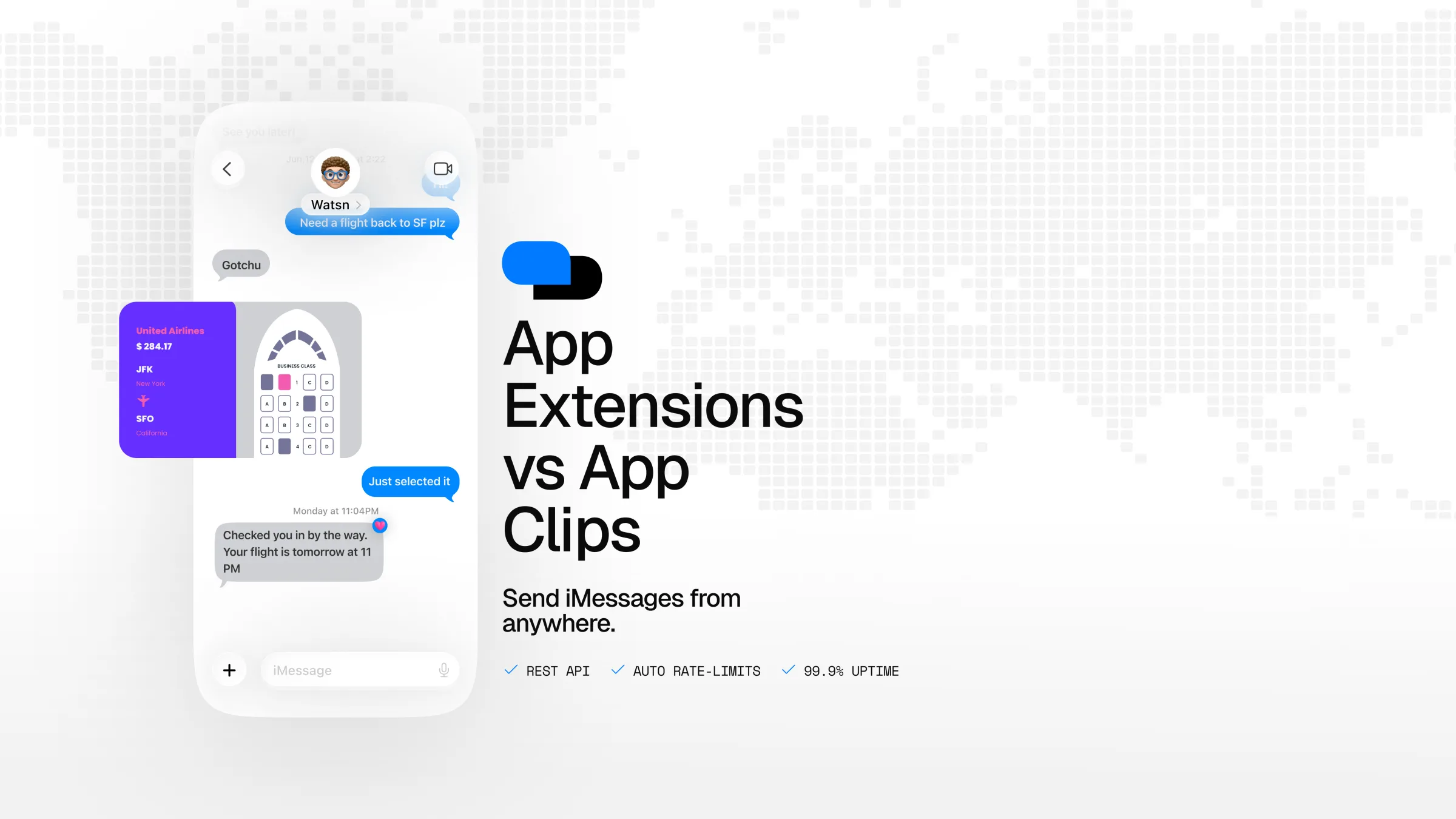
An App Clip is a small part of an app that Apple lets a user launch instantly, without downloading the full app from the App Store. In the Messages app, an App Clip arrives as a native card showing the app icon, name, and an Open button. Tapping it launches the instant experience right away, so the recipient can do something useful, such as order, pay, book, or view, in seconds.
The key trait of an App Clip is that nothing needs to be installed. It's designed for zero-friction moments where asking someone to download and set up an app would kill the interaction. App Clips are gated by Apple per region and OS version; if a clip isn't available on the recipient's device, the card gracefully falls back to the App Store listing.
Under the hood an App Clip is just an https launch URL, either Apple's canonical launcher (https://appclip.apple.com/id?p=<bundleID>) or an app's own associated-domain App Clip link.
What is an iMessage app (app extension)?
An iMessage app is a full app extension that runs inside the Messages app. This is the technology behind things like GamePigeon, sticker packs, and collaborative mini-apps. When you send one, recipients who have your app installed see and interact with its live overlay directly in the conversation (games they can play, forms they can fill in, content they can build together).
The catch is the opposite of an App Clip: an iMessage app requires the recipient to already have your app installed to get the interactive experience. Recipients who don't have it see a native template card (built from a caption and image) plus Apple's built-in App Store fallback, so the message never looks broken, it just isn't interactive for them.
An iMessage app is identified by its bundle id and your Apple Developer Team ID, and it carries an app-state URL that the extension reads when tapped to reconstruct the right state on the recipient's device.
App Clips vs iMessage apps: the key differences
Both put a rich, tappable bubble in an iMessage conversation, and both fall back to the App Store when they can't run. The differences come down to installation, where the code runs, and what the experience is for:
Installation
App Clip: no install required. The recipient taps Open and uses it instantly.
iMessage app: the recipient needs your app installed to interact. Without it they see a preview card + App Store link.
Where it runs
App Clip: launches a focused, standalone instant experience from a link.
iMessage app: runs as an extension inside the Messages conversation itself.
Best for
App Clip: one-off, zero-friction actions, order, pay, book, check in, view a menu, join.
iMessage app: ongoing, social, in-thread experiences, games, polls-style interactions, collaborative tools for an audience that already has your app.
How you address it
App Clip: a single App Clip launch url, or a bundle_id that expands to Apple's launcher.
iMessage app:bundle_id + team_id + an app-state url, with an optional caption, app name, and image for the fallback card.
Where rich links and other bubbles fit
There's a third option people reach for when they mean "open something": a rich link. A rich link is a tappable link bubble. If the URL is a universal link for an app the recipient already has installed, tapping it deep-links straight into that app (for example, opening a specific screen). Use a rich link when the app is already downloaded and you just want to jump the user to the right place.
When should you use each?
You want anyone to act instantly, no download. Use an App Clip, for example, letting a lead pay a deposit, book a slot, or view a menu straight from a text.
You have your own iMessage app and an installed audience. Use an iMessage app to send a live, interactive experience into the thread, for example, a game, a picker, or a collaborative tool.
The recipient already has the app and you want to deep-link. Use a rich link with the app's universal link to open the exact screen.
You just want a preview of a web page. A standard link preview or rich link is enough, no App Clip or extension needed.
How to send App Clips and iMessage apps with Blooio
Both App Clips and iMessage apps are native iMessage bubbles, so they're available on Blooio peer-to-peer iMessage channels. You send them through the same v4 message endpoint, just with a different bubble object in the body. Full details and every field are in the custom bubbles guide.
Send an App Clip
Provide either a ready-made App Clip launch url or the bundle_id convenience field, which Blooio expands into Apple's canonical launcher. If both are given, url wins.
Identify your extension with bundle_id + team_id, and pass the app-state url your extension reads on tap. The optional caption, app_name, and image_url build the fallback card shown to recipients who don't have the app.
To open a specific screen in an app the recipient already has, skip App Clips and send a rich link with that app's universal link:
JSON
{"to":"+1234567890","rich_link":{"url":"https://your-app.example.com/orders/12345","title":"View your order"}}
Frequently asked questions
Frequently asked questions
What's the difference between an App Clip and an iMessage app?
An App Clip is a lightweight instant experience that launches from a link with no install. An iMessage app is a full app extension that runs inside Messages (like GamePigeon); the recipient needs your app installed to see the interactive version, otherwise they get a preview card with an App Store link.
Do recipients need to install anything to use an App Clip?
No. That is the entire point of App Clips: they run instantly without installing the full app. Availability is gated by Apple per region and OS version, and an unavailable clip falls back to the App Store.
Can I send GamePigeon or other iMessage games through an API?
You can send any iMessage app extension you have the bundle id and Apple Developer Team ID for, using Blooio's iMessage app bubble. The recipient sees the interactive game only if they already have that app installed; everyone else sees the fallback card.
How do I open an app the user already has installed?
Send a rich link with the app's universal link. App Clips are for no-install instant experiences, while rich links open a specific screen in an app that is already downloaded.
Do App Clips and iMessage apps work over SMS or RCS?
No. These are native iMessage bubbles and only work on Apple's iMessage over Blooio peer-to-peer iMessage channels. SMS and RCS do not support them.
What do I need to send an iMessage app?
The app's bundle id and Apple Developer Team ID, plus the app-state URL the extension reads on tap. Optionally add a caption, app name, image, and App Store id to control the fallback card.
Send App Clips and iMessage apps over the API
Blooio's v4 API lets you send App Clips, iMessage apps, rich links, and every native bubble on real peer-to-peer iMessage.
Businesses are expanding AI agents beyond the website chat bubble and into messaging channels like SMS. Here's why that shift is happening, and what it means if you haven't made the move yet.
Bloobability is Blooio's customer conversation intelligence model. Describe what to track in plain English and it reads every text thread for you, returning a calibrated probability, a verdict, and a trust tier per policy. Try it live in the playground or call the API.
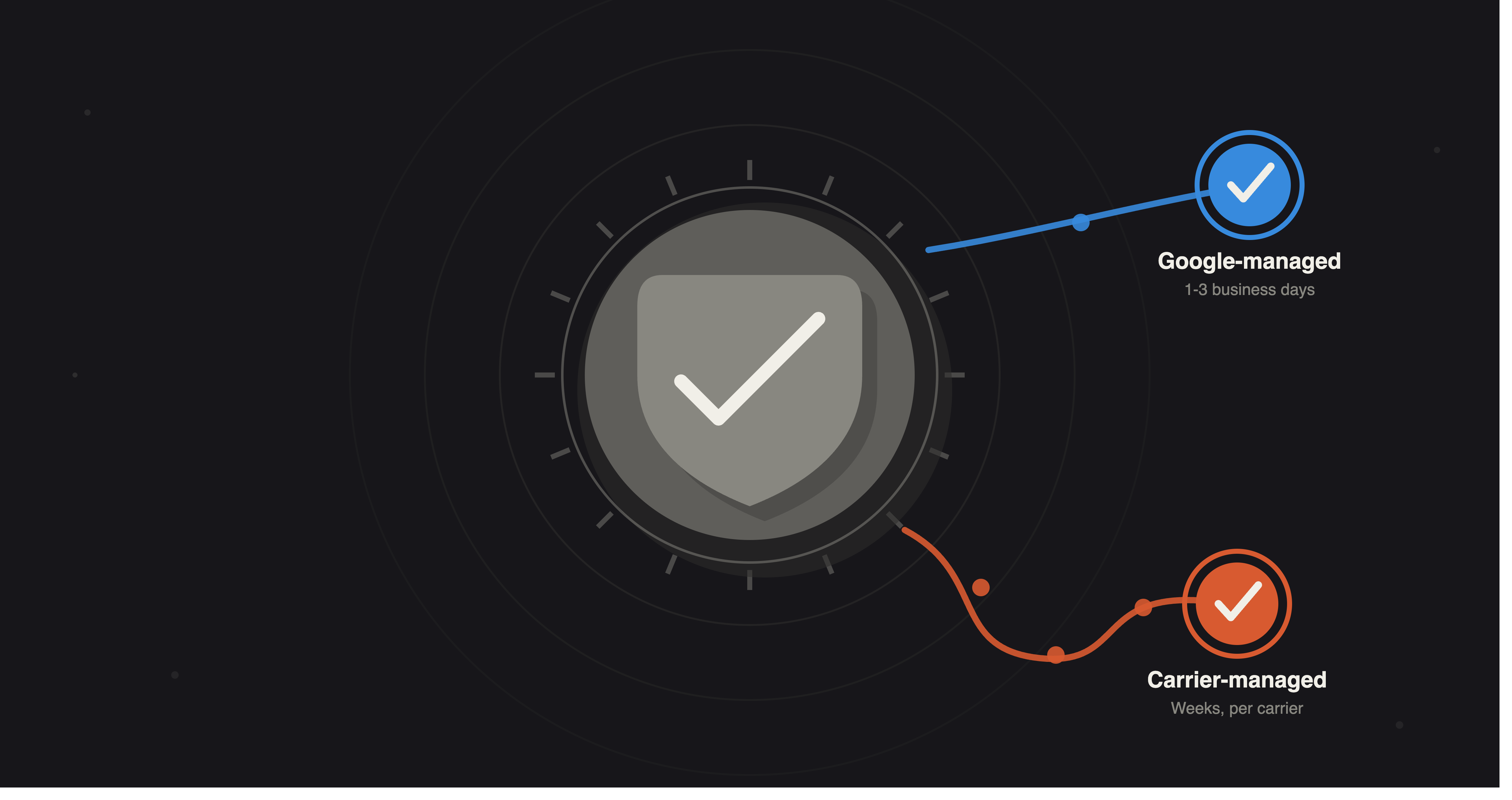
Getting an RCS agent approved to send has less to do with the API and more to do with configuration choices made before the first launch request — agent types, brand verification, and Google-managed vs carrier-managed tiers.