Text strategy4 min read
Fewer Words, More Taps: How to Write Texts Customers Actually Respond To
Simple ways to get more replies by making texting feel effortless.

Simple ways to get more replies by making texting feel effortless.
A message can be short, relevant, and delivered at the right time, yet still leave the customer wondering what to do next.
Open-ended questions like "When works best for you?" or "What service are you interested in?" ask customers to stop, think, and type out an answer. Even a simple reply can feel like more effort than it should.
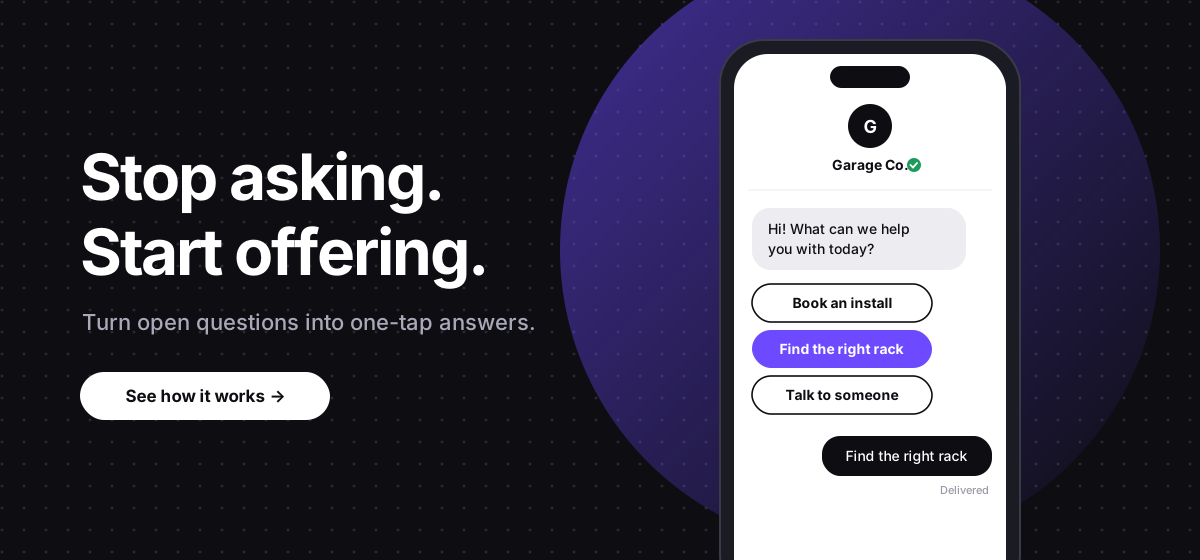
That is where interactive messaging makes a difference. Instead of asking customers to do all the work, businesses can give them simple ways to respond with a tap.
With quick replies, list pickers, time, pickers, and forms, everyday text conversations turn into smoother customer experiences. The goal is to make the next step easier.
Every extra step in a customer interaction creates another chance for someone to lose interest, get distracted, or come back later. Taps fix both problems. They're faster for the customer, and the answers cone back clean, so your team (or AI agent) knows exactly what to do next.
Apple Messages for Business comes with a few built-in tools for this:
Interactive messaging is especially useful for scheduling appointments, qualifying leads, supporting customers, updating orders, and running follow-up campaigns. Rather than treating every conversation as a blank text field, businesses can guide customers through common decisions while still leaving room for a real conversation when needed.
Open-ended questions are useful when you need detailed feedback or want to understand a customer's situation. But when the possible answers are predictable, asking someone to type them out it often unnecessary.
Instead of asking: "Are you interested in booking an appointment, learning more, or speaking to our team?"
Try offering three quick replies:
The customer can tap an option, and your business can use that response to decide what happens next. Keep the choices short and easy to understand. If a customer has to study the options before selecting one, the message is doing too much.
Quick replies should simplify the decision, not limit the customer. Include an option such as "Something else" or "Talk to a person" when customers may need help outside the standard choices.
Quick replies are great for a few options. When the list gets longer, like products, services, or store locations, a list picker keeps things tidy.
Apple’s guidance for Apple Messages for Business, recommends giving list pickers and time pickers clear titles so customers know what’s inside, plus a recognizable thumbnail image so they can tap it. Apple also suggests showing product photos when you ask a customer to choose a product.
List pickers make a great first message, too. Apple describes a step it calls triaging: asking a few simple questions up front so each customer lands in the right place fast. List pickers work best when customers need to choose from several defined options without navigating a website or typing a detailed response.
Keep the list focused on the decision at hand. Group related options where possible, use straightforward labels, and avoid making customers scroll through choices that are irrelevant to their needs.
Some customer interactions require more than choosing an answer. Scheduling an appointment, submitting an inquiry, or providing information for a service request can involve several details.
Forms work the same way for collecting details. Instead of asking for a name, then an address, then a description of the problem in three separate messages, send one short form and let the customer fill it out in one go.
A few things to keep in mind:
Customers still want to feel that a business understands what they need. A sequence of rigid prompts can feel impersonal if every response triggers another menu without acknowledging the conversation. The interaction can still follow a structured workflow. The difference is that the language feels familiar and the options are easy to understand.
It is also important to recognize when a customer needs something outside the available choices. If someone asks a specific question, expresses frustration, or requests assistance, the conversation should have a clear path to a human representative when appropriate.
Writing better text messages is only part of the success. Businesses also need a way to connect customer responses to the systems and workflows that handle them.
Blooio helps businesses build messaging workflows that connect customer conversations with their existing operations. By integrating messaging into follow-up and customer engagement processes, businesses can create more direct paths from an initial message to a meaningful action.
The most effective messaging experiences are not necessarily the ones with the most features or the shortest messages. They are the ones that make the next step obvious and easy.
Once replies start coming in, run a few through the Bloobability playground to spot interest, frustration, or pushback before it slips by.
Try the Bloobability playgroundApple Messages for Business gives you quick replies, list pickers, time pickers, forms, and Apple Pay to turn everyday texts into simple taps. Blooio makes it easy to add them to the setup you already use.
Book a meeting